Let's get straight to it: when you ask, "Is this correct grammar?" you're really asking something deeper. It’s not just about dusty old rules. "Correct" grammar is about making your writing clear, effective, and, most importantly, sound like it came from a real person. I'll walk you through a reliable way to check your own work with confidence.
Your Go-To Guide for Checking Grammar
We’ve all been there. You’re about to hit "send" on an important email, and that little voice of doubt creeps in. Is this correct grammar? That question usually pops up because we want our ideas to land without any confusing bumps along the way. Good grammar isn't about being stuffy—it’s about building a solid bridge from your brain to your reader’s.
When that bridge has a few cracks—a misplaced comma, a clunky phrase, or a verb that just feels off—the whole message can get wobbly. This guide is designed to give you a modern, practical framework for grammar, one that moves past old-school textbook drills and focuses on what really matters today: clarity and a genuine human voice.
Why a Practical Approach Works Best
Let's be clear: the goal isn't to be technically flawless. In fact, writing that’s a little too perfect can sometimes feel robotic and impersonal—a dead giveaway for AI-generated content. Great writing today is a balancing act between precision and a natural rhythm. It's about knowing the rules so you know how to bend them effectively.
So, where do we start? I'm going to focus on a few key areas that will give you the most bang for your buck:
- A quick diagnostic checklist you can run any sentence through.
- Real-world examples of common mistakes you’d find in emails or reports.
- Simple, side-by-side fixes that explain not just what to change, but why it works better.
Think of grammar as the invisible scaffolding that holds your writing together. When it's strong, your ideas stand tall. When it's weak, things start to crumble.
This whole approach is about empowering you to make smart choices, not just memorize rules. If you're looking to do a much deeper dive into the subject, this piece on the absolute best way to learn grammar is a fantastic resource. For now, though, let’s stick to the essentials.
You can also find more hands-on tips in our guide on how to perform a correct grammar check. Let’s get started building up your grammar instincts.
Why Flawless Grammar Can Actually Flag Your Writing as AI
Here’s a bizarre twist in modern writing: being too grammatically perfect can sometimes backfire. It sounds counterintuitive, but AI writing tools, trained on massive libraries of formal text, churn out sentences that are technically flawless yet feel… off. That mechanical precision is one of the biggest tells for AI detection software.
These detectors, from GPTZero to academic tools like Turnitin, aren’t just hunting for mistakes. They're designed to spot the natural, slightly chaotic rhythm of human writing. The two key concepts they rely on are perplexity and burstiness. Perplexity is just a fancy term for how surprising or unpredictable the text is. Burstiness, on the other hand, measures the variety in sentence length and structure.
The Trouble with Predictable Text
Think about how people actually write and speak. We use short, snappy sentences. Then we follow them with longer, more winding thoughts. Our word choices can be a little quirky, a little unexpected. AI models, in their quest for correctness, tend to generate text with low perplexity and low burstiness—their sentences are often uniform in length and lean on common, predictable vocabulary. The result is sterile and lacks a human pulse.
When AI tries to be "correct," it often produces text that's too smooth and even. It's this very perfection that can make writing feel soulless and, to a detection tool, obviously artificial.
The stakes are higher than you might think, especially in academic and professional worlds. Since ChatGPT exploded onto the scene, the scrutiny has intensified. In a recent analysis of over 200 million student papers, Turnitin found that 11% had at least 20% AI-generated text. That’s a staggering 22 million papers where hyper-correct, monotonous grammar could have been a contributing red flag.
Aim for Authenticity, Not Robotic Perfection
This new reality is forcing us to rethink what "good writing" even means. It’s no longer about following every rule in the style guide to a T. The real goal is to write with an authentic voice that connects with your reader. Those so-called imperfections—the unique turns of phrase, the occasional idiom, the varied rhythm of your sentences—are what make your writing feel genuine.
For a great deep dive into this, the series Copywriters Vs. Artificial Intelligence breaks down the differences between human and AI writing brilliantly. Getting a handle on these nuances is essential if you want to create content that people trust. These days, asking "is this grammatically correct?" has a new, critical follow-up question: "does it sound too correct?"
A Realistic Workflow for Checking Your Writing
Let's get practical. You can't just blindly accept every suggestion a grammar tool throws at you. The best approach is a blend of smart technology and your own judgment. Think of it less as a rigid checklist and more as a flexible workflow that makes your writing sound polished, clear, and genuinely human.
The simplest, most powerful first step? Read your work out loud. Seriously. You'll instantly hear the awkward phrasing, clunky sentences, and unnatural rhythms that spell-checkers and grammar bots sail right past. It’s a classic, low-tech trick for a reason—it tells you how your words actually land.
Once you’ve done that, run your text through a grammar checker like Grammarly. This is your first line of defense. It’s fantastic for catching obvious typos, spelling mistakes, and basic subject-verb agreement problems.
A grammar tool is a helpful assistant, not the final editor. Your own judgment is what matters most, as automated tools can miss context or even introduce new errors.
Your Manual Review and Human Touch
After that first tech-powered scan, it’s time to put your own eyes on it. This is where you go beyond just "correct" and make your writing truly effective. You'll want to focus on the subtleties that automated tools just aren't built to handle.
- Tone and Context: Is the language right for your audience? A casual blog post shouldn't sound like a legal document, and a formal report shouldn't be full of slang.
- Repetitive Patterns: Watch out for using the same sentence starters over and over or relying on stuffy, formal words. These are dead giveaways of AI-generated text.
This is exactly what AI detection systems are trained to look for. They analyze text for these kinds of predictable patterns.
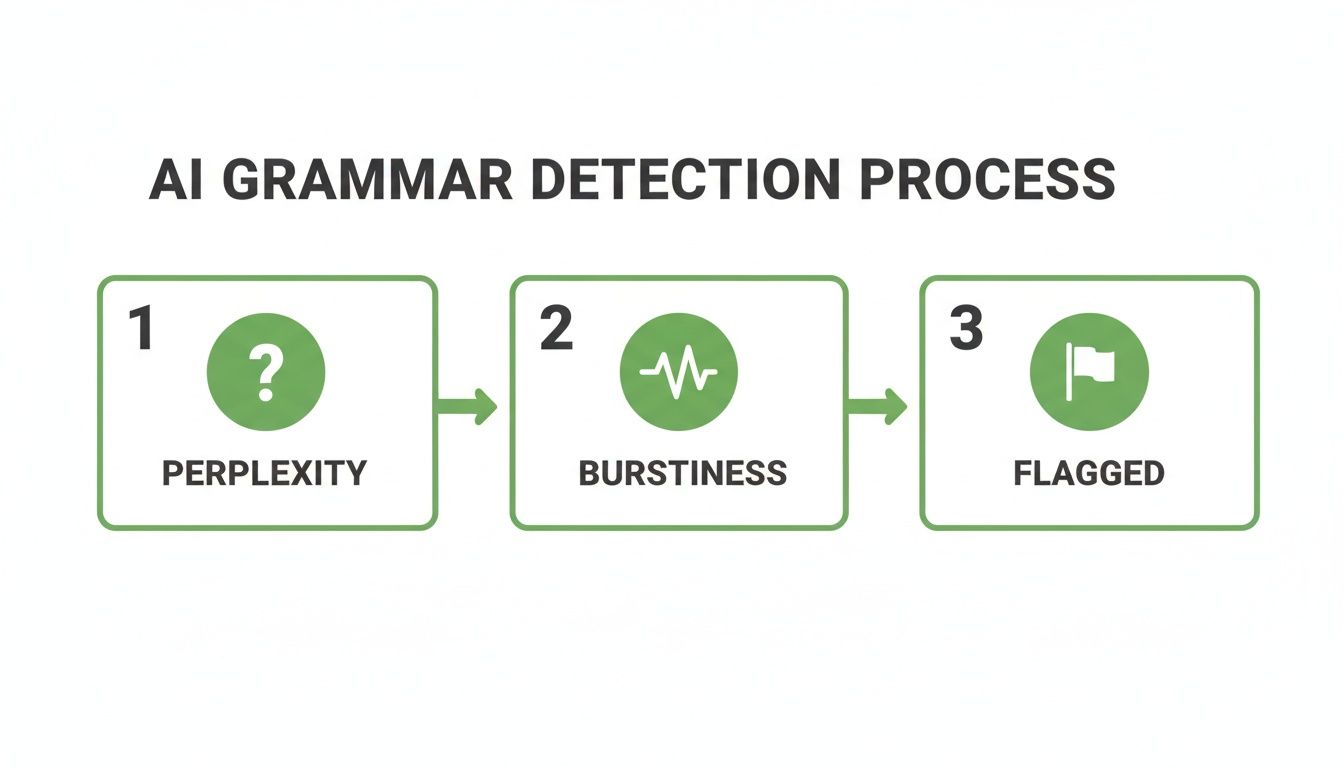
As the flowchart shows, varying your sentence structure and word choice is crucial for sounding authentic. This blended approach—tool-assisted check followed by a human review—is the key to making sure your writing is both accurate and natural.
How to Humanize Your Writing with Natural Write
So, you've run all the basic checks. Your sentences are grammatically perfect, but something still feels… off. It’s a common problem, especially when using AI assistants. The text follows every rule in the book, yet it comes across as sterile and lifeless, missing that spark of personality.
This is the final, and arguably most important, step in the editing process: making your content sound like a real person wrote it. This is where you move beyond just checking "is this correct?" to asking a much better question: "Does this sound human?"
From Robotic to Realistic: A Before-and-After Example
Let's walk through a common scenario. Say you asked an AI to draft a paragraph for a marketing email. The output is technically fine but completely lacks any persuasive punch.
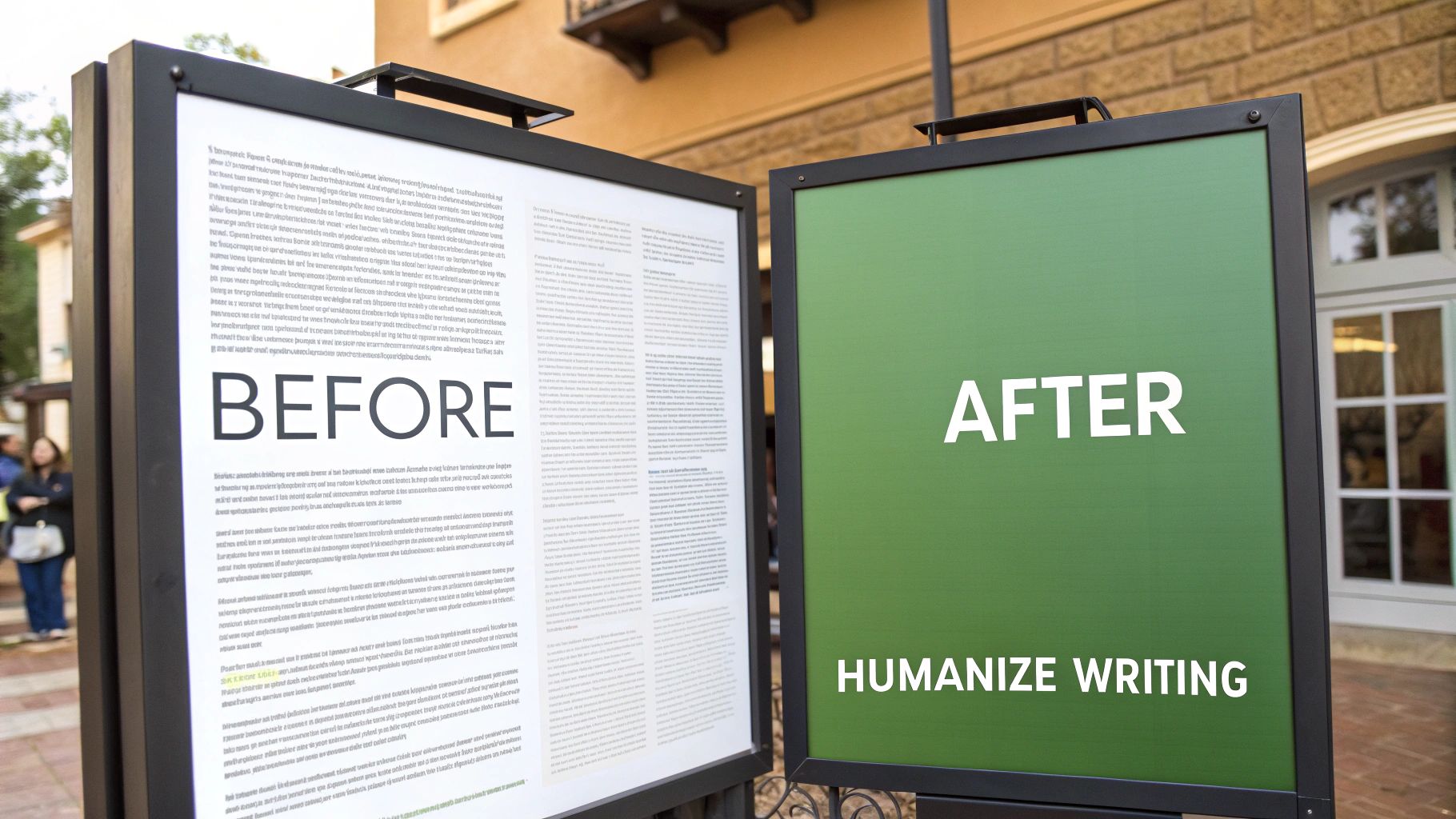
Before: AI-Generated Text The utilization of our new software solution will enhance operational efficiency. It has been engineered to provide a robust framework for data management, thereby ensuring optimal performance across all departmental verticals. The platform facilitates streamlined workflows and mitigates procedural redundancies.
Grammatically, there’s nothing wrong with this. It uses some impressive-sounding words and the structure is solid. But let’s be honest—it’s also painfully dull, packed with jargon, and reads like it came straight from a machine.
Now, let's see what happens when we run it through a humanizing tool like Natural Write.
After: Humanized with Natural Write Our new software is designed to make your work life easier. It offers a solid way to manage your data, helping your whole department run smoother. With this tool, you can simplify your daily tasks and cut out the busywork.
The difference is night and day, right? The "After" version is clear, direct, and conversational. It swaps out jargon for simpler words, varies the sentence length, and speaks directly to the reader’s real-world problems. The message hasn't changed, but the delivery is far more engaging.
Why This Matters for AI Detection
This isn't just about style. As AI writing becomes more widespread, text that is too perfect can actually be a red flag for AI detectors. These systems often look for statistical patterns, and flawlessly predictable grammar is one of them.
In fact, a review of 200 million papers by Turnitin found that 11% showed significant signs of AI involvement. Often, it's that robotic perfection that gives it away. Humanizing your text reintroduces the natural quirks and variations that signal authentic writing.
Tools like Natural Write make this final step easy. You just paste your text, and the platform refines the tone and flow while preserving your core ideas. It's the perfect final check before you hit publish. For a deeper dive, check out our guide on using an AI text humanizer for different kinds of content.
Giving Your Writing a Final Polish
Before you hit "publish" or "send," there are a couple of tried-and-true methods I always use to catch any lingering issues. These are the last-mile checks that automated tools can't quite replicate, ensuring your writing is as clear and polished as possible.
First, get a second pair of eyes on it. Seriously. Ask a trusted friend or coworker to give your writing a quick read. When you’ve been staring at the same text for hours, your brain starts filling in the gaps and glossing over obvious mistakes. A fresh reader will immediately catch that awkward sentence or typo you've read a dozen times without noticing.
The "Step Away" Technique
Another surprisingly effective trick is to just walk away. Put the document down and give yourself a break—even 30 minutes can do the trick, but a few hours is even better.
When you come back, you'll be looking at it with fresh eyes. Errors that were completely invisible before will suddenly jump right off the page. It's a simple reset that brings a new level of clarity.
Ultimately, you want to develop a reliable process that combines technical accuracy with a natural, human voice. This ensures your message isn't just correct—it actually connects with your reader.
This final check really drives home the main point: figuring out "is this grammatically correct?" is about more than just following the rules. It's about crafting writing that feels right and lands its message effectively. To dig deeper into this, check out our post on how to grammar check and rephrase your text for better results.
A Few Common Questions About Grammar and AI
As we rely more on grammar checkers and AI writers, a few tricky questions always seem to pop up. Let's break down some of the most common ones that come up when trying to get that perfect balance between technical accuracy and a real human voice.
Can a Sentence Be Grammatically Correct but Still Sound… Wrong?
Absolutely. This is probably the biggest blind spot for automated tools. A sentence can tick every single box in the grammar rulebook—subject and verb agree, commas are all in the right place—but it can still feel clunky, robotic, or just plain weird.
This usually boils down to a mismatch in tone, style, or context. For instance, a sentence might be technically perfect but far too stuffy for a friendly email or way too simplistic for a research paper. It might just sound awkward when you read it out loud. That's why simply asking, "is this correct?" isn't the whole story. Great writing is always about the reader.
The goal isn't just about being grammatically correct. It's about writing something that feels right for the moment and connects with the person reading it. A sentence can be 100% correct and still fall flat if the tone is off.
What's the Difference Between "Humanizing" and Just "Editing"?
Good question. Think of it this way: standard editing and grammar checking are all about fixing clear-cut mistakes. They're designed to catch typos, flag a misplaced comma, or make sure your verbs match your subjects. It's the technical clean-up.
Humanizing is more of an art. It goes deeper, looking at the subjective feel of the writing. It’s about adjusting the rhythm and flow, mixing up sentence lengths to keep things interesting, and swapping out those predictable AI words for language that feels more original and authentic. This is what helps your writing sound like a person, not a program—and it's a huge part of getting past AI detectors.
Is It Safe to Use a Tool Like Natural Write for My Work?
Yes, it is. We get it—trust and privacy are a big deal, especially when you’re working with important academic or professional documents.
Natural Write was built with privacy as a top priority. The platform doesn't store or save your text after it's been humanized. Your work is yours and yours alone, so you can confidently use it for sensitive projects without worrying about your data.
Ready to go beyond just "correct" and make your writing actually connect? Natural Write can help you turn robotic text into something genuinely engaging in a single click. Give it a try for free today at https://naturalwrite.com.